
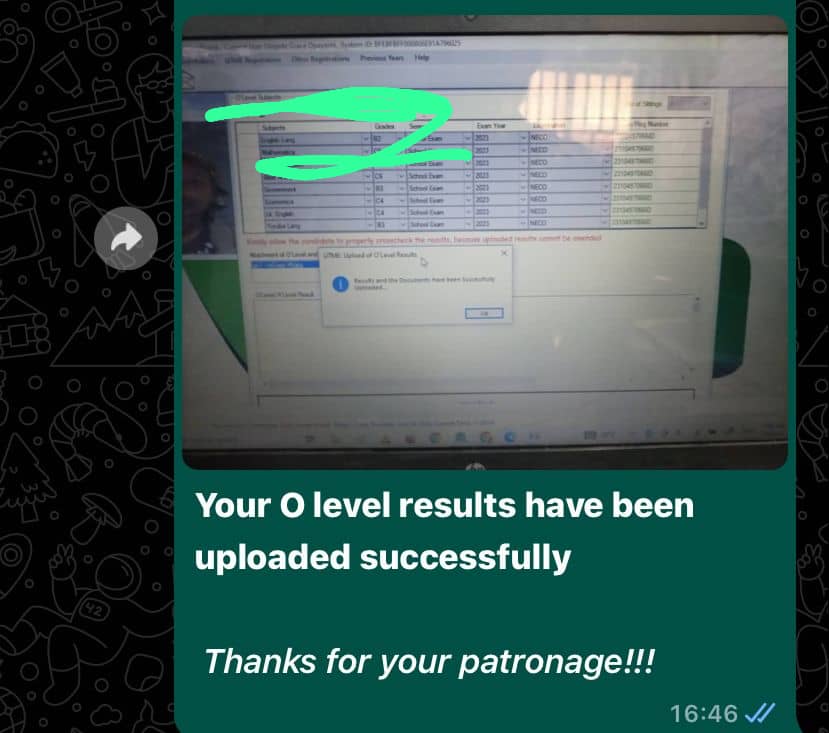
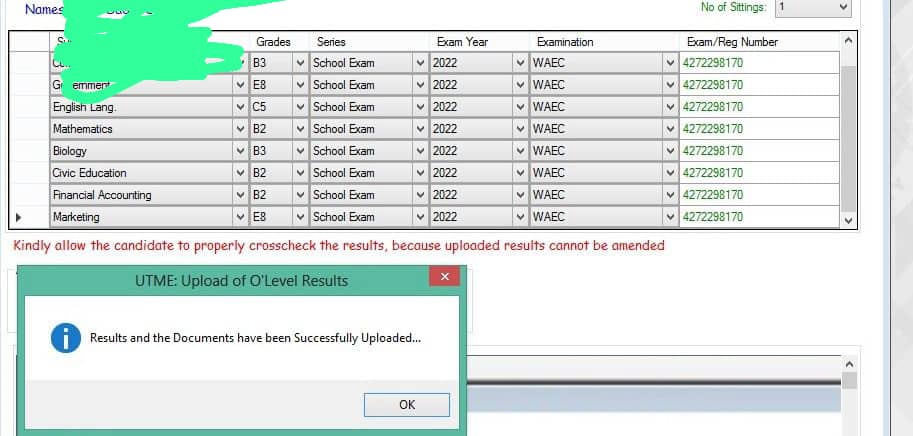
There are three ways of uploading the JAMB result on the JAMB portal and they include but are not limited to
- Through the JAMB upload portal
- Through SMS
- Visiting the JAMB center
Through the JAMB portal
This is the first option for uploading results on the JAMB portal. It’s an upload done directly on the portal. To upload the result on the JAMB portal, you follow the steps below
- Using your preferred browser login to www.jamb.gov.ng
- Login to your jamb portal by providing your registration number and password
- Click on profile
- Click on the upload result
- Type in the result correctly
- Click on update
How to confirm that your result has been uploaded
After uploading, the following steps guide you on how to check if your result has been uploaded
- Login to the Jamb portal
- On your dashboard search or my O-level result
- Your updated O-level result will be shown to you.
- If it is not updated, it will show an empty sheet which means the O-level result has not been updated successfully
Through SMS
This is the second method of getting your o level real uploaded on the Jamb portal.
The process requires you to send an SMS to the jamb-approved mobile number
You might be asked to drop a screenshot of your O-level result through WhatsApp and also the Jamb profile Code, full name, and Registration Number
A request for your result will be made and you are to send it correctly. You will also make a payment of a thousand five hundred naira
After payment verification, your result will be uploaded shortly
Visiting the JAMB CBT centre
This is another important method of updating the JAMB result. all you need to
- visit the nearest JAMB office you know.
- Request for a JAMB upload slip
- Fill the slip correctly and then
- Submit
- Pay an amount of 2000 naira and wait for your result to be uploaded.
Within 24 hours, the result will be uploaded. If you experience that it is not uploaded, you can go back to the office and request and demand correction.
where to carry out the uploading process
The JAMB uploading process is being carried out on the JAMB portal. Once a candidate provides his login details, the candidate has access to his or her dashboard to upload the O-level result. Most candidate ends up combining results that are still accepted by JAMB. All you need do is make sure that the input made is correct to avoid error messages as this might hinder your admission process. You can message us with your details and payment via whatsapp +2348140351324 to get yours done now.
The Update can be done by the candidate if he has the requirement from the comfort of his home. It can also be done by an against in the cybercafe, also it can be done in the JAMB-approved center around you.
All of them go through the same process which is the online process.
What is the cost of the Result Upload?
Most students have been scammed and a huge amount of money was extorted from them all in the name of uploading. The amount of money needed from uploaded should not be less than 1000 nair to 2000 naira.
Anything above that please does not pay except otherwise raised by the joint admission and matriculation board
Conclusion
This gives a quick guide on how you can upload your jamb result online. it covers three different methods of uploading JAMB results online.
For more information and inquiries you can drop a comment in the comment box below and we will get to reply to you.
To stay updated on any JAMB UTME related info, kindly bookmark or visit or post page daily: https://unlimitedmulticoncept.design.blog/

 Contact Details
Leave a comment